
Cancellation
Cancel Assura: assura: low price, complete decision before the document.
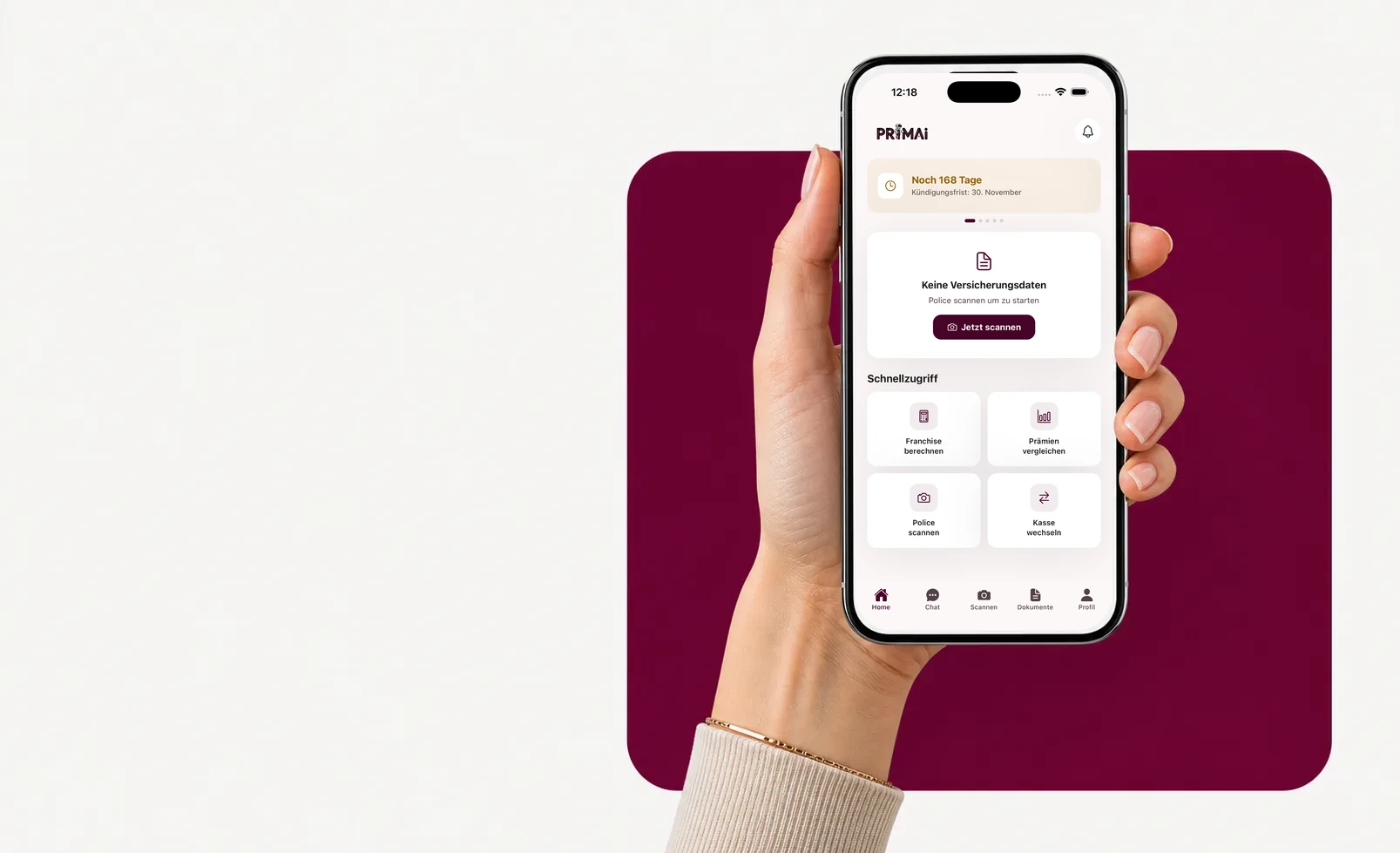
PrimAI turns Assura cancellation into a clear task: scan the policy, confirm the affected cover, check the deadline and prepare the document without sales pressure. PrimAI does not push Assura and does not push a competitor. The app is built to organize the decision without commissions.

- ✓Policy first
- ✓Deadline visible
- ✓No commission
Cancel Assura: check your policy, separate basic and supplementary cover, keep the deadline visible and prepare the document in the PrimAI app.
Read the guide →Step by step
Why the insurer context matters
PrimAI turns Assura cancellation into a clear task: scan the policy, confirm the affected cover, check the deadline and prepare the document without sales pressure. PrimAI does not push Assura and does not push a competitor. The app is built to organize the decision without commissions.

Why the insurer context matters
Assura is often searched for the premium. PrimAI helps look at deductible, annual risk and required documents too. PrimAI does not push Assura and does not push a competitor. The app is built to organize the decision without commissions.
- Premium
- Deductible
- Annual budget
Basic or supplementary insurance: do not mix them
For Assura, the first question is not which wording to send, but which insurance is actually affected. Mandatory basic insurance follows a different logic from supplementary insurance: deadlines, consequences and wording may differ. PrimAI therefore asks you to confirm whether the cancellation concerns basic insurance, supplementary cover or a different administrative task. This separation avoids a broad document touching cover you wanted to keep.
The deadline should be treated like evidence
For basic insurance, 30 November is the date many people remember, but the important point is that the cancellation reaches Assura correctly and on time. Supplementary insurance may have different contract rules. In the app, the deadline becomes a task with source, date and status instead of a loose note. You can prepare early, verify the insured person and keep the confirmation after sending.
How the app turns cancellation into steps
In PrimAI, you do not start from a blank form. You start from your Assura policy. The app reads the important fields, lets you check them and then turns cancellation into steps: choose the person, choose the cover, check the deadline, prepare the wording, note the sending channel and keep a copy. The page explains the topic; the app helps you actually get it done.
- scan the current Assura policy
- identify basic or supplementary cover
- check insured person and number
- verify deadline and target date
What PrimAI keeps tidy for this insurer
PrimAI does not push Assura and does not push a competitor. The app is built to organize the decision without commissions.
- Premium
- Deductible
- Annual budget
Compare or optimize before sending
Cancelling Assura is not always the right first move. If the issue is mainly deductible, model, moving home or a higher premium, optimization may be enough. PrimAI therefore places cancellation next to other options: compare official premiums, test a realistic deductible, understand the model or prepare a switch only when the new situation is ready. An Assura decision becomes practical only when documents follow: letter, proof, confirmation, new policy. PrimAI keeps those elements in one flow.
What the cancellation document should contain
A good document for Assura should be precise: name, address, insured number, affected insurance, desired cancellation date, request for written confirmation and signature if needed. PrimAI helps pull those elements from the policy instead of copying them from several files. The wording stays simple and administrative; it should not contain promises, advice or ambiguous language about cover that is not affected.
After sending: keep a readable trace
After preparation, the most underestimated part is proof: document copy, sending date, channel used and confirmation from Assura. PrimAI keeps this logic visible because a cancellation is not really finished until you know what was sent and what was confirmed. This is especially useful when several household members or several policies are involved.
Neutrality and limits of PrimAI
PrimAI is not an official channel of Assura, does not sell health insurance and does not receive commissions. The page gives practical orientation; the app helps organize data and documents. The decision remains yours and official confirmation always comes from the insurer. This neutrality matters: cancellation should not become a sales tunnel to another insurer.
Checklist before you finalize
Assura cancellation should finish as a documented app task, not as a memory exercise. Use the checklist before you prepare the final document and keep the resulting copy with the policy context.
- scan the current Assura policy
- identify basic or supplementary cover
- check insured person and number
- verify deadline and target date
- prepare a new basic-insurance option if needed
- keep copy and confirmation
Guide
Assura: cancellation with assura: low price, complete decision | PrimAI
Cancel Assura: check your policy, separate basic and supplementary cover, keep the deadline visible and prepare the document in the PrimAI app.
Why the insurer context matters
Assura is often searched for the premium. PrimAI helps look at deductible, annual risk and required documents too. PrimAI does not push Assura and does not push a competitor. The app is built to organize the decision without commissions.
Basic or supplementary insurance: do not mix them
For Assura, the first question is not which wording to send, but which insurance is actually affected. Mandatory basic insurance follows a different logic from supplementary insurance: deadlines, consequences and wording may differ. PrimAI therefore asks you to confirm whether the cancellation concerns basic insurance, supplementary cover or a different administrative task. This separation avoids a broad document touching cover you wanted to keep.
The deadline should be treated like evidence
For basic insurance, 30 November is the date many people remember, but the important point is that the cancellation reaches Assura correctly and on time. Supplementary insurance may have different contract rules. In the app, the deadline becomes a task with source, date and status instead of a loose note. You can prepare early, verify the insured person and keep the confirmation after sending.
How the app turns cancellation into steps
In PrimAI, you do not start from a blank form. You start from your Assura policy. The app reads the important fields, lets you check them and then turns cancellation into steps: choose the person, choose the cover, check the deadline, prepare the wording, note the sending channel and keep a copy. The page explains the topic; the app helps you actually get it done.
Cancel Assura: check your policy, separate basic and supplementary cover, keep the deadline visible and prepare the document in the PrimAI app.
PrimAI turns Assura cancellation into a clear task: scan the policy, confirm the affected cover, check the deadline and prepare the document without sales pressure. PrimAI does not push Assura and does not push a competitor. The app is built to organize the decision without commissions.
Guide, app and insurer compared
Guide
Cancel Assura: check your policy, separate basic and supplementary cover, keep the deadline visible and prepare the document in the PrimAI app.
PrimAI App
PrimAI turns Assura cancellation into a clear task: scan the policy, confirm the affected cover, check the deadline and prepare the document without sales pressure. PrimAI does not push Assura and does not push a competitor. The app is built to organize the decision without commissions.
Health insurer
Official confirmation, contract handling and administration.
| Level | What it is good for | Best for |
|---|---|---|
| Guide | Cancel Assura: check your policy, separate basic and supplementary cover, keep the deadline visible and prepare the document in the PrimAI app. | Understanding the topic before acting. |
| PrimAI App | PrimAI turns Assura cancellation into a clear task: scan the policy, confirm the affected cover, check the deadline and prepare the document without sales pressure. PrimAI does not push Assura and does not push a competitor. The app is built to organize the decision without commissions. | Preparing the concrete task on your phone. |
| Health insurer | Official confirmation, contract handling and administration. | Legally binding confirmation. |
Why the insurer context matters: Assura is often searched for the premium. PrimAI helps look at deductible, annual risk and required documents too. PrimAI does not push Assura and does not push a competitor. The app is built to organize the decision without commissions. Premium Deductible Annual budget
Basic or supplementary insurance: do not mix them: For Assura, the first question is not which wording to send, but which insurance is actually affected. Mandatory basic insurance follows a different logic from supplementary insurance: deadlines, consequences and wording may differ. PrimAI therefore asks you to confirm whether the cancellation concerns basic insurance, supplementary cover or a different administrative task. This separation avoids a broad document touching cover you wanted to keep.
The deadline should be treated like evidence: For basic insurance, 30 November is the date many people remember, but the important point is that the cancellation reaches Assura correctly and on time. Supplementary insurance may have different contract rules. In the app, the deadline becomes a task with source, date and status instead of a loose note. You can prepare early, verify the insured person and keep the confirmation after sending.
How the app turns cancellation into steps: In PrimAI, you do not start from a blank form. You start from your Assura policy. The app reads the important fields, lets you check them and then turns cancellation into steps: choose the person, choose the cover, check the deadline, prepare the wording, note the sending channel and keep a copy. The page explains the topic; the app helps you actually get it done. scan the current Assura policy identify basic or supplementary cover check insured person and number verify deadline and target date
What PrimAI keeps tidy for this insurer: PrimAI does not push Assura and does not push a competitor. The app is built to organize the decision without commissions. Premium Deductible Annual budget
Compare or optimize before sending: Cancelling Assura is not always the right first move. If the issue is mainly deductible, model, moving home or a higher premium, optimization may be enough. PrimAI therefore places cancellation next to other options: compare official premiums, test a realistic deductible, understand the model or prepare a switch only when the new situation is ready. An Assura decision becomes practical only when documents follow: letter, proof, confirmation, new policy. PrimAI keeps those elements in one flow.
What the cancellation document should contain: A good document for Assura should be precise: name, address, insured number, affected insurance, desired cancellation date, request for written confirmation and signature if needed. PrimAI helps pull those elements from the policy instead of copying them from several files. The wording stays simple and administrative; it should not contain promises, advice or ambiguous language about cover that is not affected.
After sending: keep a readable trace: After preparation, the most underestimated part is proof: document copy, sending date, channel used and confirmation from Assura. PrimAI keeps this logic visible because a cancellation is not really finished until you know what was sent and what was confirmed. This is especially useful when several household members or several policies are involved.
Neutrality and limits of PrimAI: PrimAI is not an official channel of Assura, does not sell health insurance and does not receive commissions. The page gives practical orientation; the app helps organize data and documents. The decision remains yours and official confirmation always comes from the insurer. This neutrality matters: cancellation should not become a sales tunnel to another insurer.
Checklist before you finalize: Assura cancellation should finish as a documented app task, not as a memory exercise. Use the checklist before you prepare the final document and keep the resulting copy with the policy context. scan the current Assura policy identify basic or supplementary cover check insured person and number verify deadline and target date prepare a new basic-insurance option if needed keep copy and confirmation
Download the free app
Is PrimAI official for cancelling Assura? No. PrimAI is not an official channel of Assura. The app helps prepare and organize, but confirmation must come from the insurer.
Can I cancel Assura basic and supplementary insurance together? It is safer to treat them separately. Deadlines and consequences are not always the same.
Why scan the policy before cancellation? The policy contains insured person, number, cover, model and deductible. Without those details, the document can become inaccurate.
Should I compare before cancelling? Yes, especially for basic insurance. A new solution should be clear before a cancellation is sent.
Checklist for Cancellation
| Point | Why it matters | How PrimAI helps |
|---|---|---|
| Why the insurer context matters | Assura is often searched for the premium. PrimAI helps look at deductible, annual risk and required documents too. PrimAI does not push Assura and does not push a competitor. The app is built to organize the decision without commissions. | PrimAI turns Assura cancellation into a clear task: scan the policy, confirm the affected cover, check the deadline and prepare the document without sales pressure. PrimAI does not push Assura and does not push a competitor. The app is built to organize the decision without commissions. |
| Basic or supplementary insurance: do not mix them | For Assura, the first question is not which wording to send, but which insurance is actually affected. Mandatory basic insurance follows a different logic from supplementary insurance: deadlines, consequences and wording may differ. PrimAI therefore asks you to confirm whether the cancellation concerns basic insurance, supplementary cover or a different administrative task. This separation avoids a broad document touching cover you wanted to keep. | PrimAI turns Assura cancellation into a clear task: scan the policy, confirm the affected cover, check the deadline and prepare the document without sales pressure. PrimAI does not push Assura and does not push a competitor. The app is built to organize the decision without commissions. |
| The deadline should be treated like evidence | For basic insurance, 30 November is the date many people remember, but the important point is that the cancellation reaches Assura correctly and on time. Supplementary insurance may have different contract rules. In the app, the deadline becomes a task with source, date and status instead of a loose note. You can prepare early, verify the insured person and keep the confirmation after sending. | PrimAI turns Assura cancellation into a clear task: scan the policy, confirm the affected cover, check the deadline and prepare the document without sales pressure. PrimAI does not push Assura and does not push a competitor. The app is built to organize the decision without commissions. |
| How the app turns cancellation into steps | In PrimAI, you do not start from a blank form. You start from your Assura policy. The app reads the important fields, lets you check them and then turns cancellation into steps: choose the person, choose the cover, check the deadline, prepare the wording, note the sending channel and keep a copy. The page explains the topic; the app helps you actually get it done. | PrimAI turns Assura cancellation into a clear task: scan the policy, confirm the affected cover, check the deadline and prepare the document without sales pressure. PrimAI does not push Assura and does not push a competitor. The app is built to organize the decision without commissions. |
| What PrimAI keeps tidy for this insurer | PrimAI does not push Assura and does not push a competitor. The app is built to organize the decision without commissions. | PrimAI turns Assura cancellation into a clear task: scan the policy, confirm the affected cover, check the deadline and prepare the document without sales pressure. PrimAI does not push Assura and does not push a competitor. The app is built to organize the decision without commissions. |
Download the free app
PrimAI turns Assura cancellation into a clear task: scan the policy, confirm the affected cover, check the deadline and prepare the document without sales pressure. PrimAI does not push Assura and does not push a competitor. The app is built to organize the decision without commissions.
Download the app for free →FAQ
Frequently asked questions
Is PrimAI official for cancelling Assura?
No. PrimAI is not an official channel of Assura. The app helps prepare and organize, but confirmation must come from the insurer.
Can I cancel Assura basic and supplementary insurance together?
It is safer to treat them separately. Deadlines and consequences are not always the same.
Why scan the policy before cancellation?
The policy contains insured person, number, cover, model and deductible. Without those details, the document can become inaccurate.
Should I compare before cancelling?
Yes, especially for basic insurance. A new solution should be clear before a cancellation is sent.