

Policy
KPT policy request: use digital documents with a controlled decision as the base.
Without the current policy, comparison, deductible, switching or cancellation remain approximate. PrimAI makes the KPT policy request the starting point in the app. Useful when you want digital comfort without basing a health-insurance decision on a message or old invoice.


- ✓Current policy
- ✓Prepared document
- ✓No commission
Request a KPT policy: prepare the request, receive the document and use it in the PrimAI app as the basis for comparison.
Quick facts
Policy: the essentials at a glance.
Step by step
How it works.
-
Choose a channel
KPTnet or phone 058 310 91 11.
-
Have your details ready
Insured number and affected person.
-
Request the policy
Ask for the current policy or proof of insurance.
-
File the document
PrimAI reads model, deductible and cover.
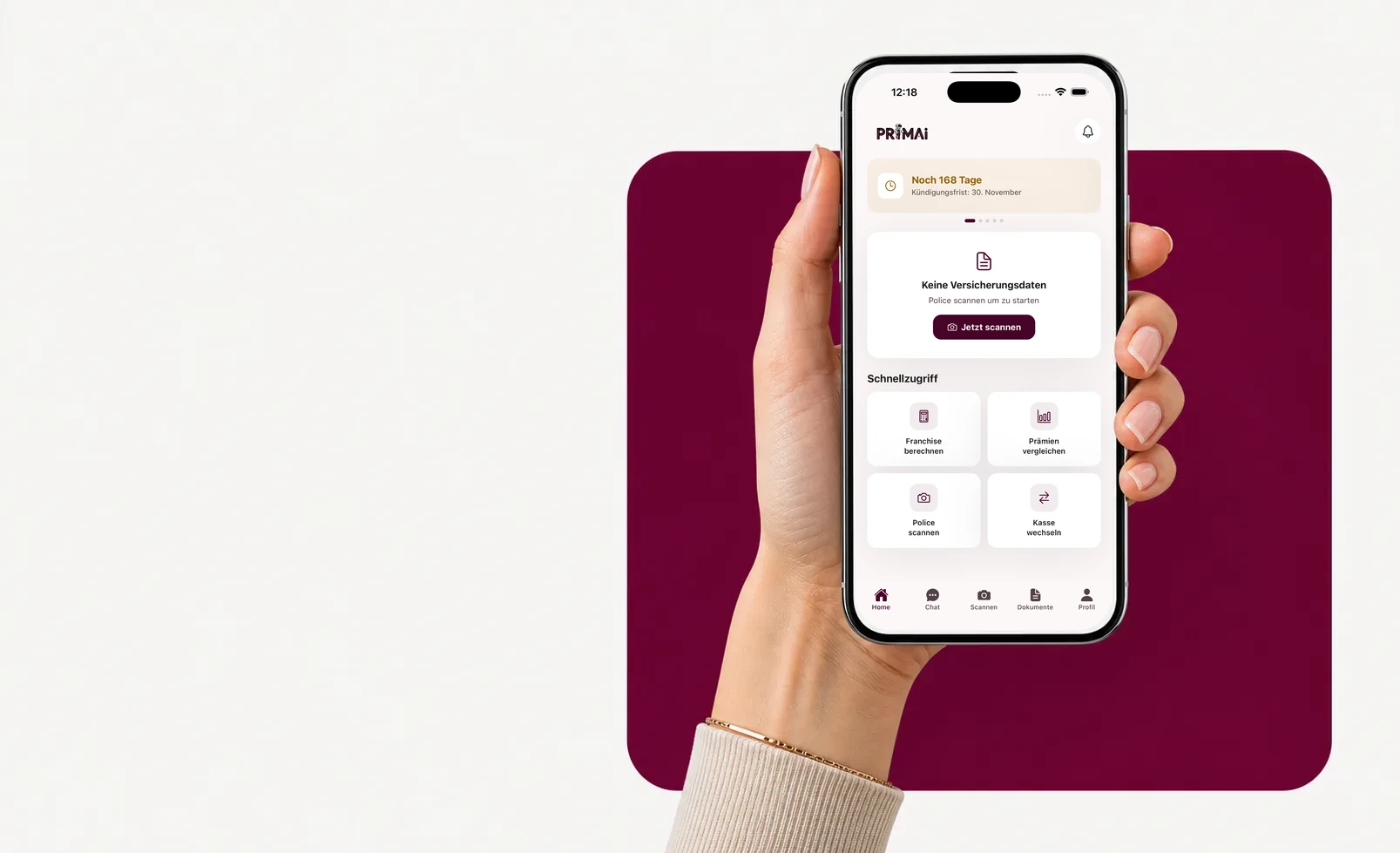
PrimAI app
Turn your policy into a clear app task.
Scan your policy, check official FOPH premiums, keep the deadline in view and prepare the right document — neutral, free and without commission.
Models
Policy basic-insurance models.
The model sets premium and doctor access. Swipe through the options.
Standard (freie Arztwahl)
Basic benefits are the same by law — models differ in access and premium.
KPTwin.doc (Hausarzt)
Basic benefits are the same by law — models differ in access and premium.
KPTwin.win (Telmed)
Basic benefits are the same by law — models differ in access and premium.
KPTwin.plus (HMO)
Basic benefits are the same by law — models differ in access and premium.
KPTwin.easy
Basic benefits are the same by law — models differ in access and premium.
KPTwin.smart
Basic benefits are the same by law — models differ in access and premium.
Step by step
The insurer context still matters
Without the current policy, comparison, deductible, switching or cancellation remain approximate. PrimAI makes the KPT policy request the starting point in the app. Useful when you want digital comfort without basing a health-insurance decision on a message or old invoice.
The insurer context still matters
KPT is often seen as direct and digital. PrimAI keeps that convenience, but slows the workflow at the right moment: policy, deadline and confirmation need to be checked before anything is sent. Useful when you want digital comfort without basing a health-insurance decision on a message or old invoice.
- KPTnet
- digital document
- policy
- deadline
- proof
The real risk in this task
The risk with a missing KPT policy is comparing from an invoice, an old email or memory. Those sources may show an amount, but not always model, deductible, accident cover, insured person or the difference between basic and supplementary insurance. A decision without the current policy becomes fuzzy.
What to check before preparing the document
PrimAI treats the policy request as preparation, not a formality. Before writing to KPT, the app gathers identity, insured number if available, address, insurance year and practical reason: compare, change deductible, prepare cancellation or verify cover.
What PrimAI keeps separate for this insurer
PrimAI separates KPT cancellation, policy request, address change and switching checks so each step has its own data.
- KPTnet
- digital document
- policy
- deadline
- proof
Connection to comparison, deductible and model
A digital portal can make an action fast, but not automatically complete. Insured person, insurance type and target date still need to be explicit.
Guide
KPT: policy request and digital documents with a controlled decision | PrimAI
Request a KPT policy: prepare the request, receive the document and use it in the PrimAI app as the basis for comparison.
Guide, app and insurer compared
Guide
Request a KPT policy: prepare the request, receive the document and use it in the PrimAI app as the basis for comparison.
Best for: Understanding the topic before acting.
PrimAI App
Without the current policy, comparison, deductible, switching or cancellation remain approximate. PrimAI makes the KPT policy request the starting point in the app. Useful when you want digital comfort without basing a health-insurance decision on a message or old invoice.
Best for: Preparing the concrete task on your phone.
Health insurer
Official confirmation, contract handling and administration.
Best for: Legally binding confirmation.
Download the free app
Without the current policy, comparison, deductible, switching or cancellation remain approximate. PrimAI makes the KPT policy request the starting point in the app. Useful when you want digital comfort without basing a health-insurance decision on a message or old invoice.
Download the app for free →
Free app for Switzerland
On desktop? Scan the code with your phone.
The best flow is on mobile: scan the QR code, open the app and continue with your policy there.
FAQ
Frequently asked questions
Where do I send the KPT basic-insurance cancellation?
To: KPT, Postfach, 3001 Bern. It must arrive by 30 November (date of receipt, not postmark).
Which models does KPT offer?
KPT offers: Standard (freie Arztwahl), KPTwin.doc (Hausarzt), KPTwin.win (Telmed), KPTwin.plus (HMO), KPTwin.easy, KPTwin.smart. The model affects premium and doctor access.
How do I reach KPT?
Via the KPTnet portal or by phone at 058 310 91 11.
Why request a KPT policy?
Because the policy contains the information needed to compare, optimize, switch or cancel cleanly.
Is an invoice enough?
No. An invoice does not always replace model, deductible and cover details.
What should I do after receiving it?
Scan the policy in PrimAI, check the data and choose the next task.