

Health insurer
Helsana in the app: clear policy, visible next steps.
For many households, Helsana is not just one page. Basic insurance, supplementary cover, family members, invoices and confirmations can all sit together. PrimAI turns those documents into clear app tasks.


- ✓Helsana policy
- ✓Deductible and model
- ✓No commission
Check Helsana with PrimAI: scan the policy, separate basic and supplementary insurance, review deductible, model and documents.
Quick facts
Health insurer: the essentials at a glance.
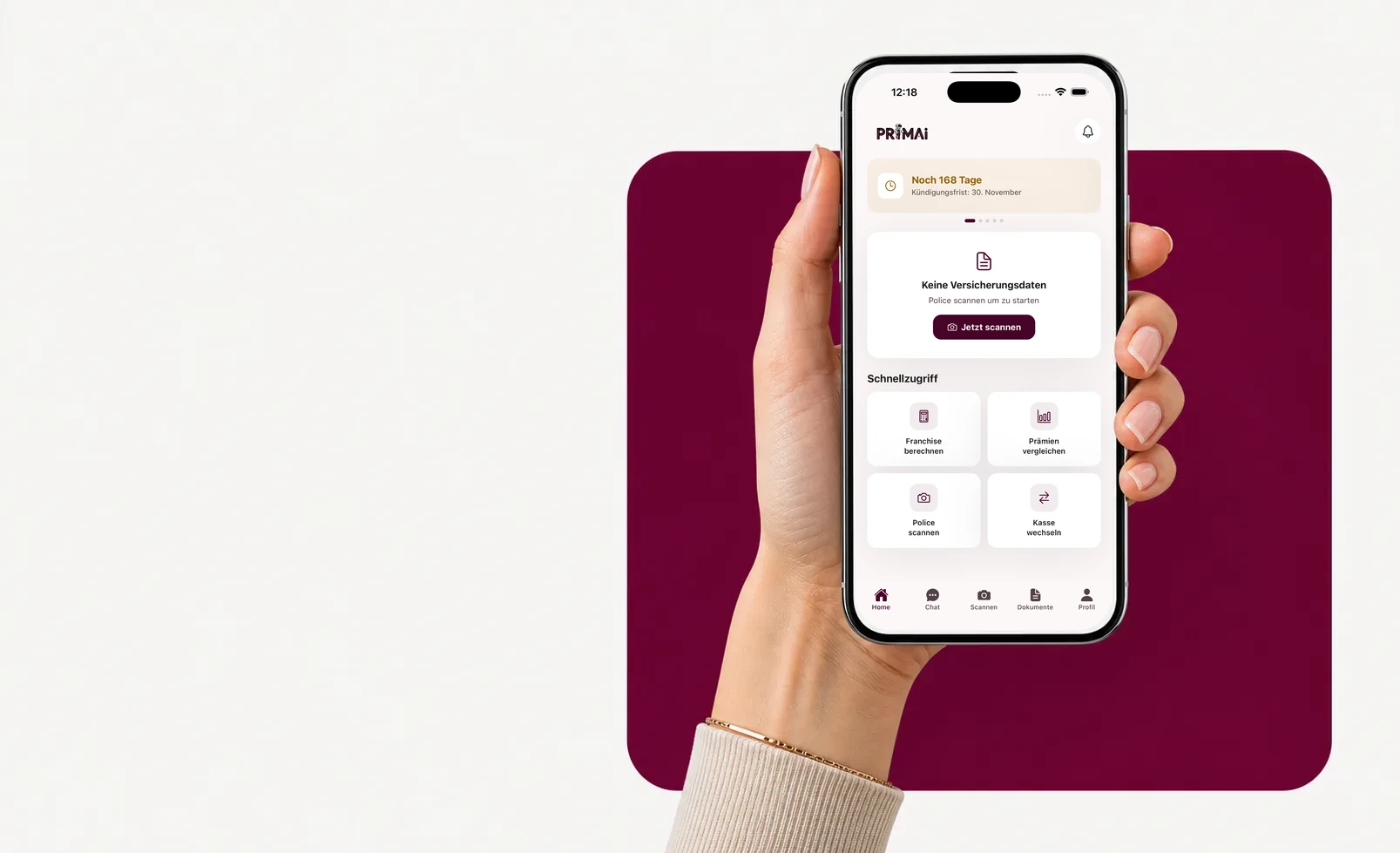
PrimAI app
Turn your policy into a clear app task.
Scan your policy, check official FOPH premiums, keep the deadline in view and prepare the right document — neutral, free and without commission.
Models
Health insurer basic-insurance models.
The model sets premium and doctor access. Swipe through the options.
Standard (freie Arztwahl)
Basic benefits are the same by law — models differ in access and premium.
BeneFit PLUS Hausarzt
Basic benefits are the same by law — models differ in access and premium.
BeneFit PLUS HMO
Basic benefits are the same by law — models differ in access and premium.
BeneFit PLUS Telmed
Basic benefits are the same by law — models differ in access and premium.
BeneFit PLUS Flex
Basic benefits are the same by law — models differ in access and premium.
Guide
Why your Helsana policy comes first
For many households, Helsana is not just one page. Basic insurance, supplementary cover, family members, invoices and confirmations can all sit together. PrimAI turns those documents into clear app tasks.
Why your Helsana policy comes first
A serious Helsana decision starts with the current policy: insured person, number, model, deductible, accident cover, basic insurance and any supplementary cover. Without those details, comparison quickly becomes a price impression rather than a reliable decision. PrimAI helps read those fields and connect them to a concrete task: optimize, cancel, change model or prepare a request.
Separate basic and supplementary insurance
With Helsana, as with every insurer, basic and supplementary insurance follow different rules. Cancelling basic insurance should not accidentally remove useful supplementary cover. The app keeps these blocks separate and asks which document belongs to which cover.
- basic insurance
- possible supplementary cover
- affected person
- deadline and proof
Deductible, model and household
A family can have several Helsana policies with different deductibles. PrimAI avoids one broad household decision: one adult may optimize the deductible, a child may need a different logic and supplementary insurance may remain separate. The page explains the topic; the app keeps choices person by person.
What PrimAI prepares for Helsana
PrimAI is not an official Helsana channel. The app can help prepare a cancellation, policy request, address change or switching check with the right data already taken from the policy. You stay in control of sending, proof and confirmation.
Neutrality
PrimAI does not sell Helsana, does not receive commissions and does not push a competing insurer. Its role is practical: understand the policy, use official premiums as a neutral base and prepare the right document without sales pressure.
Guide
Helsana with PrimAI | Policy, deductible and switching
Check Helsana with PrimAI: scan the policy, separate basic and supplementary insurance, review deductible, model and documents.
Why your Helsana policy comes first
A serious Helsana decision starts with the current policy: insured person, number, model, deductible, accident cover, basic insurance and any supplementary cover. Without those details, comparison quickly becomes a price impression rather than a reliable decision. PrimAI helps read those fields and connect them to a concrete task: optimize, cancel, change model or prepare a request.
Separate basic and supplementary insurance
With Helsana, as with every insurer, basic and supplementary insurance follow different rules. Cancelling basic insurance should not accidentally remove useful supplementary cover. The app keeps these blocks separate and asks which document belongs to which cover.
Deductible, model and household
A family can have several Helsana policies with different deductibles. PrimAI avoids one broad household decision: one adult may optimize the deductible, a child may need a different logic and supplementary insurance may remain separate. The page explains the topic; the app keeps choices person by person.
What PrimAI prepares for Helsana
PrimAI is not an official Helsana channel. The app can help prepare a cancellation, policy request, address change or switching check with the right data already taken from the policy. You stay in control of sending, proof and confirmation.
Check Helsana with PrimAI: scan the policy, separate basic and supplementary insurance, review deductible, model and documents.
For many households, Helsana is not just one page. Basic insurance, supplementary cover, family members, invoices and confirmations can all sit together. PrimAI turns those documents into clear app tasks.
Guide, app and insurer compared
Guide
Check Helsana with PrimAI: scan the policy, separate basic and supplementary insurance, review deductible, model and documents.
PrimAI App
For many households, Helsana is not just one page. Basic insurance, supplementary cover, family members, invoices and confirmations can all sit together. PrimAI turns those documents into clear app tasks.
Health insurer
Official confirmation, contract handling and administration.
| Level | What it is good for | Best for |
|---|---|---|
| Guide | Check Helsana with PrimAI: scan the policy, separate basic and supplementary insurance, review deductible, model and documents. | Understanding the topic before acting. |
| PrimAI App | For many households, Helsana is not just one page. Basic insurance, supplementary cover, family members, invoices and confirmations can all sit together. PrimAI turns those documents into clear app tasks. | Preparing the concrete task on your phone. |
| Health insurer | Official confirmation, contract handling and administration. | Legally binding confirmation. |
Why your Helsana policy comes first: A serious Helsana decision starts with the current policy: insured person, number, model, deductible, accident cover, basic insurance and any supplementary cover. Without those details, comparison quickly becomes a price impression rather than a reliable decision. PrimAI helps read those fields and connect them to a concrete task: optimize, cancel, change model or prepare a request.
Separate basic and supplementary insurance: With Helsana, as with every insurer, basic and supplementary insurance follow different rules. Cancelling basic insurance should not accidentally remove useful supplementary cover. The app keeps these blocks separate and asks which document belongs to which cover. basic insurance possible supplementary cover affected person deadline and proof
Deductible, model and household: A family can have several Helsana policies with different deductibles. PrimAI avoids one broad household decision: one adult may optimize the deductible, a child may need a different logic and supplementary insurance may remain separate. The page explains the topic; the app keeps choices person by person.
What PrimAI prepares for Helsana: PrimAI is not an official Helsana channel. The app can help prepare a cancellation, policy request, address change or switching check with the right data already taken from the policy. You stay in control of sending, proof and confirmation.
Neutrality: PrimAI does not sell Helsana, does not receive commissions and does not push a competing insurer. Its role is practical: understand the policy, use official premiums as a neutral base and prepare the right document without sales pressure.
Download the free app
Is PrimAI connected to Helsana? No. PrimAI is independent and does not replace Helsana’s official channels.
Can I prepare a Helsana cancellation? Yes. PrimAI can help prepare the data and document, while sending and confirmation stay under your control.
Should I always switch away from Helsana? No. Sometimes changing deductible or model is enough. The app helps compare those options.
Checklist for Health insurer
| Point | Why it matters | How PrimAI helps |
|---|---|---|
| Why your Helsana policy comes first | A serious Helsana decision starts with the current policy: insured person, number, model, deductible, accident cover, basic insurance and any supplementary cover. Without those details, comparison quickly becomes a price impression rather than a reliable decision. PrimAI helps read those fields and connect them to a concrete task: optimize, cancel, change model or prepare a request. | For many households, Helsana is not just one page. Basic insurance, supplementary cover, family members, invoices and confirmations can all sit together. PrimAI turns those documents into clear app tasks. |
| Separate basic and supplementary insurance | With Helsana, as with every insurer, basic and supplementary insurance follow different rules. Cancelling basic insurance should not accidentally remove useful supplementary cover. The app keeps these blocks separate and asks which document belongs to which cover. | For many households, Helsana is not just one page. Basic insurance, supplementary cover, family members, invoices and confirmations can all sit together. PrimAI turns those documents into clear app tasks. |
| Deductible, model and household | A family can have several Helsana policies with different deductibles. PrimAI avoids one broad household decision: one adult may optimize the deductible, a child may need a different logic and supplementary insurance may remain separate. The page explains the topic; the app keeps choices person by person. | For many households, Helsana is not just one page. Basic insurance, supplementary cover, family members, invoices and confirmations can all sit together. PrimAI turns those documents into clear app tasks. |
| What PrimAI prepares for Helsana | PrimAI is not an official Helsana channel. The app can help prepare a cancellation, policy request, address change or switching check with the right data already taken from the policy. You stay in control of sending, proof and confirmation. | For many households, Helsana is not just one page. Basic insurance, supplementary cover, family members, invoices and confirmations can all sit together. PrimAI turns those documents into clear app tasks. |
| Neutrality | PrimAI does not sell Helsana, does not receive commissions and does not push a competing insurer. Its role is practical: understand the policy, use official premiums as a neutral base and prepare the right document without sales pressure. | For many households, Helsana is not just one page. Basic insurance, supplementary cover, family members, invoices and confirmations can all sit together. PrimAI turns those documents into clear app tasks. |
Download the free app
For many households, Helsana is not just one page. Basic insurance, supplementary cover, family members, invoices and confirmations can all sit together. PrimAI turns those documents into clear app tasks.
Download the app for free →
Free app for Switzerland
On desktop? Scan the code with your phone.
The best flow is on mobile: scan the QR code, open the app and continue with your policy there.
FAQ
Frequently asked questions
Is PrimAI connected to Helsana?
No. PrimAI is independent and does not replace Helsana’s official channels.
Can I prepare a Helsana cancellation?
Yes. PrimAI can help prepare the data and document, while sending and confirmation stay under your control.
Should I always switch away from Helsana?
No. Sometimes changing deductible or model is enough. The app helps compare those options.