

Cancellation
Cancel Visana: premium, model and classic policy documents before the document.
PrimAI turns Visana cancellation into a clear task: scan the policy, confirm the affected cover, check the deadline and prepare the document without sales pressure. Best for people who already have a Visana policy and want to know whether internal optimization is enough before switching.


- ✓Policy first
- ✓Deadline visible
- ✓No commission
Cancel Visana: check your policy, separate basic and supplementary cover, keep the deadline visible and prepare the document in the PrimAI app.
Quick facts
Cancellation: the essentials at a glance.
Step by step
How it works.
-
Check the policy
Scan your Visana policy. PrimAI reads model, deductible, insured number and the affected person.
-
Separate basic and supplementary
Basic insurance and supplementary cover follow different rules and deadlines.
-
Deadline and address
Received by 30 November at Visana, Weltpoststrasse 19, 3000 Bern 16.
-
Prepare the document
PrimAI prepares a clean cancellation letter and keeps the confirmation.
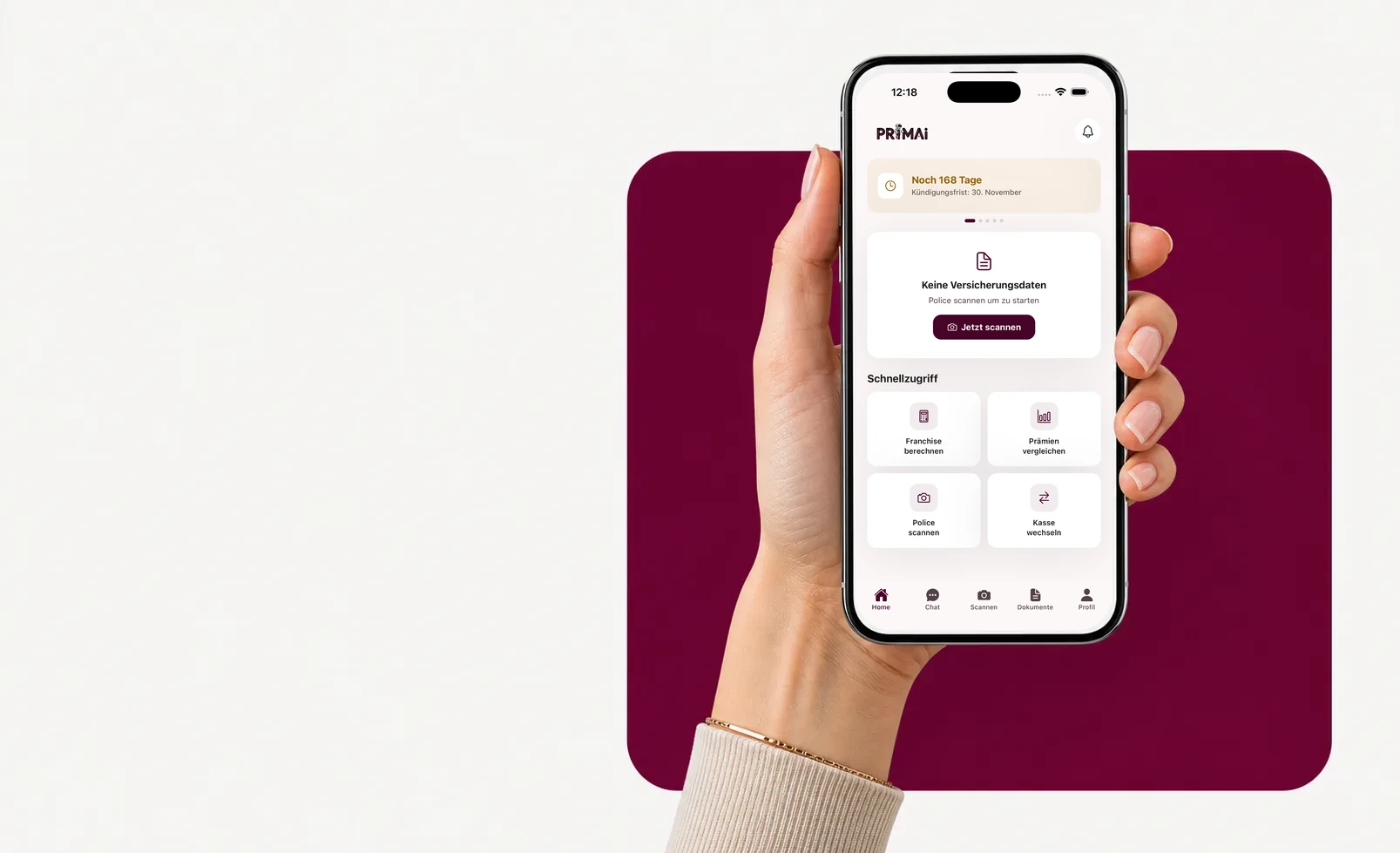
PrimAI app
Turn your policy into a clear app task.
Scan your policy, check official FOPH premiums, keep the deadline in view and prepare the right document — neutral, free and without commission.
Models
Cancellation basic-insurance models.
The model sets premium and doctor access. Swipe through the options.
Standard (freie Arztwahl)
Basic benefits are the same by law — models differ in access and premium.
Hausarzt
Basic benefits are the same by law — models differ in access and premium.
HMO-Plus
Basic benefits are the same by law — models differ in access and premium.
Tel-Care
Basic benefits are the same by law — models differ in access and premium.
Med-Direct
Basic benefits are the same by law — models differ in access and premium.
VIVA
Basic benefits are the same by law — models differ in access and premium.
Step by step
Why the insurer context matters
PrimAI turns Visana cancellation into a clear task: scan the policy, confirm the affected cover, check the deadline and prepare the document without sales pressure. Best for people who already have a Visana policy and want to know whether internal optimization is enough before switching.
Why the insurer context matters
Visana is often reviewed from a structured policy or premium invoice. PrimAI uses that structure to capture deductible, model, premium region and insured person before preparing an action. Best for people who already have a Visana policy and want to know whether internal optimization is enough before switching.
- current policy
- annual premium
- deductible
- model
- confirmation
Basic or supplementary insurance: do not mix them
For Visana, the first question is not which wording to send, but which insurance is actually affected. Mandatory basic insurance follows a different logic from supplementary insurance: deadlines, consequences and wording may differ. PrimAI therefore asks you to confirm whether the cancellation concerns basic insurance, supplementary cover or a different administrative task. This separation avoids a broad document touching cover you wanted to keep.
What PrimAI keeps tidy for this insurer
For Visana, policy request, address change, cancellation and switching need separate wording. PrimAI keeps the exact insurance designation in each document.
- current policy
- annual premium
- deductible
- model
- confirmation
Compare or optimize before sending
Cancelling Visana is not always the right first move. If the issue is mainly deductible, model, moving home or a higher premium, optimization may be enough. PrimAI therefore places cancellation next to other options: compare official premiums, test a realistic deductible, understand the model or prepare a switch only when the new situation is ready. The risk is judging only the monthly premium, while deductible, model and accident cover change the real yearly burden.
Guide
Visana: cancellation with premium, model and classic policy documents | PrimAI
Cancel Visana: check your policy, separate basic and supplementary cover, keep the deadline visible and prepare the document in the PrimAI app.
Guide, app and insurer compared
Guide
Cancel Visana: check your policy, separate basic and supplementary cover, keep the deadline visible and prepare the document in the PrimAI app.
Best for: Understanding the topic before acting.
PrimAI App
PrimAI turns Visana cancellation into a clear task: scan the policy, confirm the affected cover, check the deadline and prepare the document without sales pressure. Best for people who already have a Visana policy and want to know whether internal optimization is enough before switching.
Best for: Preparing the concrete task on your phone.
Health insurer
Official confirmation, contract handling and administration.
Best for: Legally binding confirmation.
Download the free app
PrimAI turns Visana cancellation into a clear task: scan the policy, confirm the affected cover, check the deadline and prepare the document without sales pressure. Best for people who already have a Visana policy and want to know whether internal optimization is enough before switching.
Download the app for free →
Free app for Switzerland
On desktop? Scan the code with your phone.
The best flow is on mobile: scan the QR code, open the app and continue with your policy there.
FAQ
Frequently asked questions
Where do I send the Visana basic-insurance cancellation?
To: Visana, Weltpoststrasse 19, 3000 Bern 16. It must arrive by 30 November (date of receipt, not postmark).
Which models does Visana offer?
Visana offers: Standard (freie Arztwahl), Hausarzt, HMO-Plus, Tel-Care, Med-Direct, VIVA. The model affects premium and doctor access.
How do I reach Visana?
Via the myVisana portal or by phone at 0848 848 899.
Is PrimAI official for cancelling Visana?
No. PrimAI is not an official channel of Visana. The app helps prepare and organize, but confirmation must come from the insurer.
Can I cancel Visana basic and supplementary insurance together?
It is safer to treat them separately. Deadlines and consequences are not always the same.
Why scan the policy before cancellation?
The policy contains insured person, number, cover, model and deductible. Without those details, the document can become inaccurate.
Should I compare before cancelling?
Yes, especially for basic insurance. A new solution should be clear before a cancellation is sent.